What is remittance in accounting: what is remittance in accounting and how to manage it
2026-02-11
What is remittance in accounting: what is remittance in accounting and how to manage it
If you’ve ever managed a company’s treasury, you’ll know that the constant stream of collections and payments can be a real headache. Imagine having to go to the bank, physically or virtually, for each customer invoice or each payment to a supplier. It would be madness. This is where remittances come into play.
In simple terms, an accounting remittance is a digital package that groups a bunch of collection or payment orders to send them to the bank and have them all processed together, in one go.
What is a remittance in accounting and why it will change your life

Think of it this way: instead of taking each invoice to the bank one by one, you put them all in a kind of standardized digital “envelope” for the bank to manage them in bulk. For any SME, grasping this concept is the first step to putting order in their cash flow and sleeping a little more peacefully at night.
This system not only simplifies your life but also standardizes all operations at the European level thanks to the SEPA system (the Single Euro Payments Area), which is the common language for euro transactions.
Be careful, not all “remittances” are the same
It’s important not to confuse the term we use in business with what you hear in the news. In macroeconomics, “remittance” refers to money that immigrants send to their families in their countries of origin. These transfers are crucial for the economy of many countries and reflect migration flows.
To give you an idea, in 2023 alone, these personal transfers from Spain reached 10.7 billion euros, representing 0.7% of national GDP, according to data from the Bank of Spain. Our focus, however, is purely business.
The two types of remittances you’ll use in your day-to-day
In managing your business, you’ll mainly encounter two types of remittances. Each serves a different purpose, but both are equally useful:
- Collection remittances: These are the famous direct debits or bank direct debits. With them, you give the bank the order to automatically collect from your customers, ideal for invoices that repeat like subscriptions, rent, or service fees.
- Payment remittances: Just the opposite. You use them to order a batch of transfers all at once, like when you pay all your employees’ salaries at the end of the month or settle invoices from several suppliers.
In summary, a collection remittance puts money into your account in bulk, and a payment one takes it out. Both save you a lot of time and reduce the risk of making a mistake with a manual payment.
Controlling both types is key, but bank direct debits usually have the most impact on treasury. If you want to understand in depth how direct debits work, we recommend reading our article about what a bank direct debit is.
Types of bank remittances for your company
Not all remittances are the same, and this is where many get lost. Knowing how to distinguish them is key to making your business work like clockwork, always choosing the right tool for each moment. In day-to-day operations, remittances are divided into two main families, depending on whether money comes in or goes out.
On one hand, you have collection remittances, which in banking jargon are known as SEPA direct debits. Their objective is very simple: group several invoices or receipts so your customers pay you all at once. Think of them as your best ally for collecting gym fees, monthly subscriptions, or any payment that repeats over time.
On the other side of the coin are payment remittances, also called SEPA transfers. They do just the opposite: take money out of your account to pay others. They’re the perfect solution for managing your employees’ salaries at the end of the month or settling invoices from several suppliers in one go. A real administrative time saver.
SEPA CORE vs B2B collection remittances
When we get into the world of collections, things get more interesting. The SEPA system differentiates between two types of direct debits, and choosing well is fundamental to avoid surprises and protect your treasury.
- CORE scheme (or basic): This is the most common and versatile. It works for charging anyone: individual customers, other companies, or freelancers. Its great particularity is that it protects the end customer a lot. In fact, they have up to 8 weeks after collection to return the receipt without giving any explanation.
- B2B scheme (Business-to-Business): Its name says it all. It’s designed exclusively for operations between professionals (companies and freelancers). The great advantage is that it’s much more secure for whoever collects. Once the debtor’s bank accepts the charge, the payment is firm and cannot be returned.
To make it clearer, here’s a table with the fundamental differences.
Comparison of SEPA CORE vs B2B remittances
This table summarizes the fundamental differences between the two types of SEPA direct debits to help companies choose the correct scheme.
| Characteristic | SEPA CORE Direct Debit | SEPA B2B Direct Debit |
|---|---|---|
| Who can be charged | Individuals, companies, and freelancers | Exclusively companies and freelancers |
| Return period | 8 weeks without justification and up to 13 months for unauthorized charges | Returns are not allowed once the charge has been accepted |
| Prior notification | Mandatory to notify the debtor in advance (normally 14 days) | The notification period can be shorter if agreed between the parties |
| Security for the issuer | Lower, due to the risk of returns | Maximum, the collection is final |
| Mandate complexity | Simple, it’s the standard SEPA mandate | Requires express validation of the debtor with their bank |
The choice between CORE and B2B comes down to a balance between flexibility and security. The CORE scheme protects the payer more, giving them peace of mind, while B2B gives you, as a company, an almost bulletproof collection guarantee.
That said, to use any of these systems you absolutely need your customer’s permission. This permission is formalized in a key document. If you want to understand it thoroughly, I recommend reading about what the SEPA mandate is, and if you need to issue a new one you can build it in minutes with our SEPA mandate generator. It’s the cornerstone that gives legal validity to all your collections, so making the right decision will not only save you money but also many headaches.
The complete process of a remittance step by step
Managing a remittance may seem complex at first, but it’s actually a fairly logical process divided into four very clear phases. If you understand each one well, you’ll save yourself errors, unexpected costs, and delays in your treasury.
Let’s break down the journey of a remittance, from when you decide to issue a collection or payment until the money reaches its destination and everything is squared in your accounting.
1. Data preparation and validation
This is the starting point and, honestly, where most problems are avoided. Before creating any file, you have to make sure all information is correct and complete. Think of it as the foundations of a house: if they’re not solid, everything you build on top will wobble.
Here, the key is to thoroughly review data such as: * Correct identifiers: Check each IBAN letter by letter, number by number. A simple error here and the collection or payment will be returned. * Exact amounts: Verify that the amounts correspond to invoices, salaries, or any other source document. * Execution dates: Clearly define the day you want the charge or credit to be processed in the account. * Valid SEPA mandates: This is crucial for collection remittances (direct debits). You must have the signed and active authorization from each customer to be able to charge them the receipt.
An incorrect IBAN or an expired mandate are the most common causes of bank returns, so spending time on this phase is an investment, not an expense.
2. Bank file generation and sending
With all data validated, the next step is to “translate” them into a language the bank understands. This is done by generating a SEPA file in XML format. This file is nothing more than a text file with a very specific structure that contains all the collection or payment orders you want to execute.
Once you have this file, you access your company’s online banking, look for the remittance management section, and upload it. To ensure it’s you giving the order, the bank will ask you for a digital signature. It’s a fundamental security step that confirms the authenticity of the operation.
A well-managed remittance doesn’t end when you press “send”. Real peace of mind comes with reconciliation, the moment when you confirm that what your bank says matches what your accounting books say.
The following diagram simplifies the flow that a remittance follows, whether collection or payment.
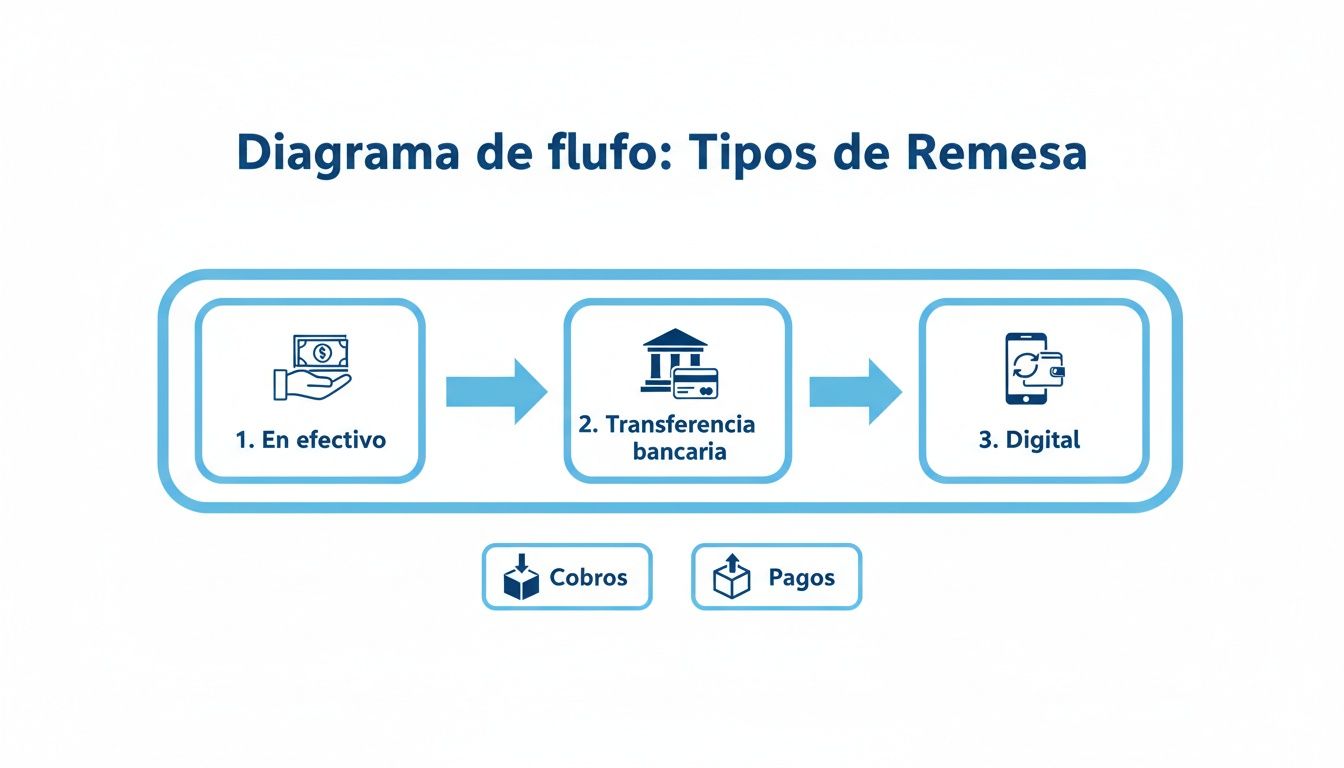
As you can observe, although the path divides according to the operation, the initial stages of preparation, generation, and sending are the same for both.
3. Reconciliation and incident management
The final phase, and the one that closes the circle, is bank reconciliation. Once the bank has processed the remittance, your job is to go into the account and verify that all collections have been credited or that payments have been made correctly.
What if something fails? This is where incident management comes in. If a receipt is returned, the bank will notify you. At that moment, you’ll have to record the non-payment in your accounting, contact the customer to solve the problem, and, if necessary, include it again in a future remittance.
Although in day-to-day business we use “remittance” for this process, the term also has a very relevant macroeconomic dimension. According to data from the Bank of Spain, remittances sent from Spain by workers to their countries of origin reached 3.803 billion euros in a single quarter. You can delve into the impact of these economic flows in the Trading Economics research.
How to record the accounting entries of a remittance

Keeping precise accounting control of remittances is much more than a simple formality; it’s the key to having a real view of your business’s treasury. We’re not just talking about moving money from one place to another, but reflecting each stage of the process in your books. This way you’ll know at all times which invoices are truly pending, which are already in the bank’s hands for collection, and which have finally been settled.
Each movement, from the moment you group the invoices until the bank confirms the deposit, must be perfectly documented. This gives you iron control over your customers’ balance and, more importantly, over the liquidity you have day to day.
Let’s see step by step how these accounting entries are recorded. We’ll use practical examples so you can apply them without fear of making mistakes.
Entry 1: Creating and sending the remittance to the bank
The first accounting step happens exactly when you generate the remittance and send it to the bank. At that precise moment, your customers’ debt hasn’t disappeared, but it has changed state. It’s no longer a simple pending invoice; now it’s a collection that’s in full bank processing.
To reflect this change in situation, we use what we call a bridge account. Think of it as an accounting waiting room where we put the invoices we’ve included in the remittance. The objective is very simple: remove the balance from the general customers account and move it to this temporary account.
Let’s use an example. You create a remittance with a total value of 5,000 €, which groups several invoices from different customers. The accounting entry would be like this:
- (Debit) 5,000 € in account (4310) Customers, commercial bills in portfolio: We record here the total amount of the remittance. This indicates that those collections are now “in portfolio”, or in other words, in the bank’s hands for them to manage.
- (Credit) 5,000 € in account (430) Customers: At the same time, we remove that same amount from the general customers account. The debt has moved to another state, and this must be reflected.
With this simple entry, your books already show that those 5,000 € are not a “normal” debt, but a collection right that’s actively in process.
Entry 2: The bank credits the amount to your account
After a few days, the bank will have done its work and will deposit the money into your account. It’s normal for them to deduct a small commission for the service. This is the moment of truth, when the money officially enters your treasury.
Accountingly, here you have to record two things at once: the money coming in and the expense that the bank commission represents. Continuing with our example, let’s imagine the bank charges you 50 € for managing the remittance.
The entry would be like this:
- (Debit) 4,950 € in account (572) Banks: We record the net deposit, the money that has really arrived in your account.
- (Debit) 50 € in account (626) Banking services and similar: We take the commission to its corresponding expense account.
- (Credit) 5,000 € in account (4310) Customers, commercial bills in portfolio: And here we close the circle. We cancel the bridge account, because the collection has been successful and the money is no longer “in processing”.
This step is crucial. Settling the bridge account (4310) closes the collection cycle and confirms that the process has finished successfully, leaving your accounting balanced.
Entry 3: How to act when a receipt is returned
Unfortunately, things don’t always go well. Sometimes, a customer returns a receipt, whether due to lack of funds or any other reason. When this happens, the bank notifies you, removes the money from your account, and, to make matters worse, charges you fees for managing that non-payment.
Let’s suppose that, from the previous remittance, a receipt of 1,000 € comes back. In addition, the bank charges you 10 € for return fees.
The entry to record this incident is done like this:
- (Debit) 1,000 € in account (4315) Customers, unpaid commercial bills: We move the debt to a specific account for unpaid items. This way we have it well located to start claiming it.
- (Debit) 10 € in account (626) Banking services and similar: We record the extra expense that the return has caused us.
- (Credit) 1,010 € in account (572) Banks: We reflect the total outflow of money from our bank (the receipt amount plus the new commission).
Recording this is vital. It not only prevents you from considering a debt as collected when it’s still very much alive, but it’s also the starting point for initiating collection procedures with the customer.
The SEPA XML file explained simply
The term SEPA XML file may sound like Chinese, but it’s actually much simpler than it seems. Think of it as the universal language that your company and your bank use to talk about remittances throughout Europe.
It’s essentially an ultra-structured digital form. This format ensures that each crucial piece of data, such as IBANs, amounts, or collection dates, is exactly where it should be, leaving no room for interpretation. This rigidity is its greatest virtue, because it guarantees that operations are processed without failures.
The challenge for SMEs and the solution
This is where many companies, especially smaller ones, hit a wall. The great challenge is how to generate this very specific file from a simple spreadsheet, like an Excel or CSV.
A single format error, a comma out of place, or data in the wrong column, and the bank will reject the entire remittance immediately. This is not only a waste of time but can also incur return costs and, worse, cause tensions in your treasury.
Efficient remittance management is vital, especially in a country like Spain, which recently broke a record by sending 11.330 billion euros, 60% more than in the 2013-2020 period. If you want to know more about Spain’s role as a remittance sender, you can read the complete analysis at this link.
Why a specialized tool is the key
This is where tools like ConversorSEPA make the difference. They act as an expert translator and validator, closing the gap between your spreadsheet and the bank’s requirements.
The real value isn’t just in converting a file, but in the peace of mind of knowing that each remittance you send is technically perfect and will be accepted by the bank the first time.
This tool takes your document, interprets it, and transforms it into an impeccable, validated SEPA XML file ready to upload to your online banking.
As you can see in the image, the process is very straightforward: you upload your file, indicate what each column means, and download the XML ready to use. This not only saves you hours of manual work and frustration but prevents costly errors that can throw your finances off balance.
If you want to see the process in action, we recommend our article on how to convert CSV transfers to SEPA XML file.
Frequently asked questions about remittances in accounting
When you face the daily management of collections and payments, it’s logical that doubts will arise. Don’t worry, it’s the most normal thing in the world. Clarifying them will give you confidence and, above all, help you fine-tune your processes to avoid those errors that later cost time and money.
Let’s resolve here, very directly, some of the most common questions that arise when working with remittances. The idea is to give you practical answers you can apply right away.
What’s the difference between a transfer remittance and a direct debit remittance?
The key is in who gives the order and in which direction the money moves. It’s easier than it seems: one is for paying and the other is for collecting.
-
A transfer remittance is used to pay. Imagine you have to pay salaries or invoices from several suppliers. With this remittance, your company tells the bank: “send this money from my account to all these other accounts”. You are the one initiating the outgoing movement.
-
A direct debit remittance is for collecting. Here, you ask the bank to bring money from your customers’ accounts to yours. Of course, you can only do this if you have their explicit permission, which brings us to the famous SEPA mandate.
In short, transfers are for taking funds out, and direct debits are for putting them in.
What is a SEPA mandate and why is it so important?
The SEPA mandate is the document that legitimizes everything. Think of it as the contract or signed authorization with which your customer gives you permission to charge receipts to their account. Without it, there’s no possible collection by direct debit.
Its importance is critical because it protects everyone. It gives the customer peace of mind that the charges they receive are authorized and not an error or fraud. And it gives you the legal basis to issue those receipts and claim the money.
Be very clear about this: without a valid SEPA mandate, properly completed and kept for each customer, you simply cannot generate a direct debit remittance. Trying to do so exposes you to having all receipts returned and possible bigger problems.
What should I do accounting-wise if a receipt is returned?
Having a receipt returned happens. When it occurs, the bank notifies you, reverses the deposit they had made, and almost always charges you a commission for the management. Your accounting must reflect this new situation immediately.
The accounting entry is quite logical:
- Cancel the collection: You have to reverse the initial entry. If you had recorded the collection in an account like (4310) “Customers, commercial bills in portfolio”, now you have to remove that amount from there.
- Record the non-payment: That amount doesn’t disappear, it’s simply now an unpaid debt. The correct thing is to move it to a specific account for that, like (4315) “Customers, unpaid commercial bills”. This way you know that invoice is still pending collection.
- Account for the expense: Don’t forget the bank commission. That small charge is a financial expense and must go to account (626) “Banking services and similar”.
Once the accounting is up to date, it’s time for the operational part: call the customer, find out why the receipt was returned, and find a solution.
Is it possible to create the SEPA file directly with Excel?
The short answer is no, at least not in a practical and safe way. Excel is wonderful for organizing data in tables (.xlsx or .csv), but it has no idea how to generate the SEPA XML structure, which is a very strict computer language that banks need to process orders.
Trying to create that file manually is madness. It’s a technical, slow process where it’s very easy to make a mistake. A misplaced period, a missing tag, or data in the wrong format will make the bank reject the entire remittance immediately.
That’s why the usual and smarter approach is to use specialized tools that act as “translators”. You take your Excel with collection or payment data, upload it to the tool, and it converts it into a perfect, validated XML file ready to send to the bank.
Managing remittances doesn’t have to be a headache. With the right help, a process that was once manual and full of risks becomes something fast, secure, and efficient. At ConversorSEPA we’re dedicated to exactly that. Our platform takes your Excel or CSV files and, in seconds, transforms them into validated SEPA XML files ready for your online banking. Try ConversorSEPA free for 7 days and discover how to simplify your treasury.
Frequently Asked Questions
- How is a bank remittance recorded in accounting?
- In a payment batch, the bank account is credited and the included invoices or suppliers are cleared. In a collection batch, the bank receipt is recorded and customer debts are written off. The entry should reflect the whole batch, not each transfer separately.
- What is the difference between a SEPA remittance and an individual transfer?
- An individual transfer moves a single payment between two accounts. A SEPA remittance groups many payments or collections in one XML file that the bank processes as a batch. Remittances are the standard way to pay payroll, suppliers or membership fees.
- How long does a SEPA remittance take to execute?
- Standard SEPA credit transfers are usually credited on the next banking business day. Direct debits depend on submission deadlines: 5 business days for a first or one-off collection, and 2 days for recurring collections. Plan your file submission date with that margin.