Complete guide to remittance of effects for your business
2026-02-11
Complete guide to remittance of effects for your business
If you manage a business, you’ve surely encountered this situation: you have a bunch of pending invoices to collect and you spend hours preparing each payment separately. What if you could group them all into a single order for the bank and let it handle the rest?
That’s exactly what a remittance of effects is. It’s a system that allows you to combine multiple receipts or transfers into a single standardized digital file that you send to the bank to process all collections at once. A real marvel for putting order in your cash flow.
The silent engine of modern treasury
A remittance of effects is much more than a simple file. I like to see it as an orchestra conductor. Instead of going musician by musician (customer by customer) asking them to play their part (pay their invoice), the conductor gathers all the scores (the receipts) in a folder and gives a single instruction to the ensemble (the bank). From there, the bank ensures that each one receives what they’re owed and executes their part on time.
This system converts a task that was previously manual, repetitive, and very prone to errors into an automated and efficient process. For an SME, this is a before and after. It frees up incredible time for the administration team, which no longer has to chase payments one by one.

Key benefits of remittance of effects
Implementing this system isn’t just for convenience; it’s a strategic decision that really shows in day-to-day operations and the company’s financial health.
- Cash flow optimization: By automating and scheduling collections, you gain enormous predictability about when and how much money will come in. Planning this way is much easier.
- Reduction of administrative burden: No more managing each collection separately. With a single file you can process dozens or hundreds of operations. This can reduce the time dedicated to these tasks by more than 80%.
- Minimization of human errors: By following a standard format, the probability of making a mistake with an IBAN or amount is drastically reduced. Fewer errors, fewer problems.
In other words, remittance of effects brings order to the chaos of individual collections and converts it into a predictable process. It’s a fundamental pillar for the stability of any business.
The role of SEPA regulations
For all this to work like clockwork, a common language is needed. That language is the SEPA (Single Euro Payments Area) regulations. This standard, which unifies payments across 34 countries, ensures that a remittance file created in Spain is understood and processed without problems at a bank in Germany or Italy. It’s what allows the system to flow without friction.
Of course, each direct debit collection included in a remittance needs the customer’s prior authorization. If you want to understand this document better, I recommend reading about what a SEPA direct debit order is, because it’s the legal basis for your collections to be valid.
From AEB formats to the SEPA XML standard
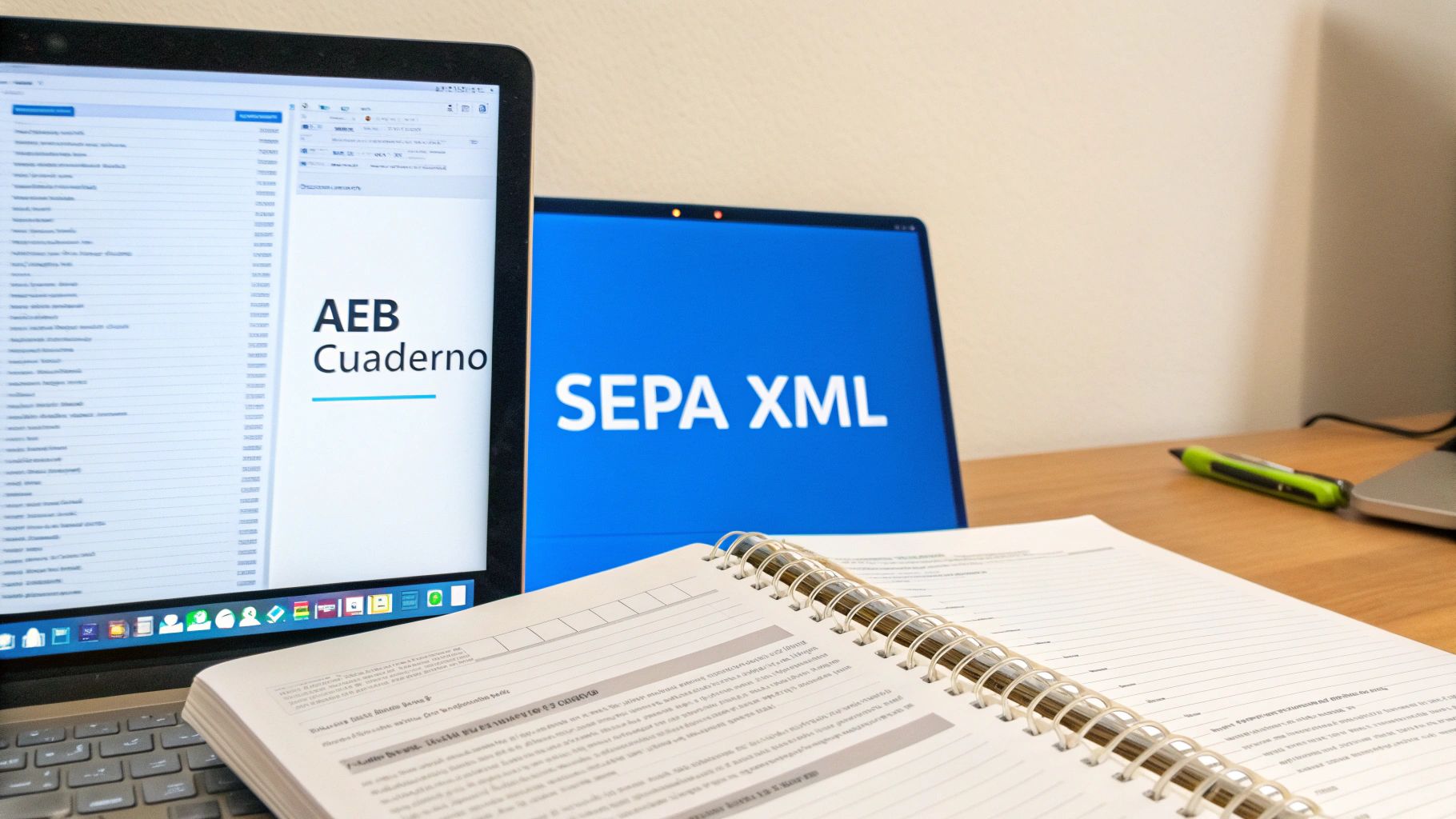
For many years, in Spain, collection and payment management had its own language. Companies and banks communicated through files that followed the regulations of the Spanish Banking Association (AEB). You’ve surely heard names like Notebook 19, 34, or 58.
These formats worked like clockwork for operations within the country, but they were a real headache as soon as you tried to operate in Europe. Each country had its own system, and the lack of a common standard created friction, delays, and unnecessary costs.
The arrival of the SEPA standard
To solve this chaos, the Single Euro Payments Area (SEPA) was born, an initiative that sought to create a universal “language” for transactions. This new standard is SEPA XML (ISO 20022), and its adoption became mandatory for all transfers and direct debits in euros.
Suddenly, banks throughout the SEPA zone began speaking the same financial language. And this change was much more than a simple technical update. We went from old plain text files, rigid and limited, to a much richer and more flexible XML format. Now, each operation can carry more information, which improves control, traceability, and, above all, security.
The transition from AEB to SEPA XML wasn’t a simple evolution; it was a total reinvention of banking communication. We left behind a localist system to adopt a pan-European standard, more powerful and secure.
The modernization challenge
Here comes the real problem that many companies still face: despite the fact that migration to SEPA has been mandatory for years, their management systems (ERP) or older invoicing programs still generate files with obsolete AEB formats.
When they try to send one of these files to the bank, the response is always the same: immediate rejection. This creates a bottleneck that paralyzes collections. Updating an ERP completely can be a very long and expensive project, so many SMEs need an intermediate solution.
This is where converters come into play. They act as expert translators, taking that outdated AEB file and transforming it into an impeccable SEPA XML that any bank will accept without problems. If you want to understand better why those old formats no longer work, you can discover what a Norm 19 file is and its limitations.
To show you the differences at a glance, this table summarizes everything perfectly.
Key differences between AEB and SEPA XML formats
This table directly compares before and after, making it clear why migration to SEPA XML isn’t just an obligation, but a substantial improvement in financial management.
| Characteristic | AEB Formats (e.g., Notebook 34) | SEPA XML Format |
|---|---|---|
| Structure | Plain text file with fixed length. Very rigid and prone to errors. | Structured file with tags (XML), readable and organized. |
| Scope | Exclusively national (Spain). | International (valid in the 36 countries of the SEPA zone). |
| Flexibility | Limited fields. It was difficult to add extra information in concepts. | Very flexible. Allows including much more data, such as invoice references. |
| Security | Very basic validation mechanisms. | Incorporates more robust data validations, increasing security. |
As you can see, the SEPA XML format not only unifies but also enriches the information of each transaction, facilitating reconciliation and reducing errors.
How to prepare your data for a remittance without failures
The secret to making a remittance of effects work without problems isn’t at the moment of generating the final file, but much earlier: in the spreadsheet where you have all the collections. A well-organized Excel or CSV is the pillar of the entire process and the best way to avoid the bank returning your receipts. It’s like building a house: if the foundations fail, everything else comes tumbling down.
Preparing data well is, without doubt, the most important step for your bank to process collections the first time. It’s not enough to have the information; each piece of data must meet a very specific and strict format.
The key fields that cannot be missing in your file
Imagine that each column in your spreadsheet is a piece of a puzzle. If a single piece doesn’t fit or has the wrong shape, the entire puzzle remains incomplete. That’s why it’s fundamental that you pay a lot of attention to the following fields:
- Debtor IBAN: Make sure it’s complete, without spaces, and with the country code in front (for example, ES for Spain). A small error here and the bank will reject the collection immediately.
- Debtor name: The full name or company name of your customer, exactly as it appears on their bank account.
- Receipt amount: Here the devil is in the details. Always use a period as a decimal separator, never a comma. For example, a collection of 50.25 € must appear as 50.25.
- Receipt concept: A short and clear description of the collection. Watch out for exceeding the character limit set by the SEPA standard, which is usually 140.
- Due date: The exact day you want the collection to be processed. It’s ideal to use a consistent format like YYYY-MM-DD to avoid confusion.
- Unique mandate reference: Think of this as the ID card of the direct debit authorization your customer signed. It must be exactly the same as what appears on that document.
A well-prepared data file is your best insurance against unforeseen events. If you want to be extra safe, you can consult this complete guide on what data your CSV file of SEPA receipts should contain and not miss a single detail.
What if my Excel is different? Flexibility is the key
Not all companies organize information the same way. Maybe in your spreadsheet the amount column is called “Total Invoice” or the IBAN appears as “Customer Account”. The good news is that this doesn’t have to be a problem if you use the right tool.
A good conversion platform shouldn’t force you to change your way of working. On the contrary, it adapts to you, allowing you to indicate which of your columns corresponds to each standard SEPA field.
This capability, known as field mapping, is a lifesaver. It allows you to keep using your usual templates without having to redo your entire management system. The conversion tool acts as an intelligent translator that understands that your “Total” column is, in reality, the “Amount” field the remittance needs.
Additionally, the most complete solutions review data before creating the file. If they detect a misspelled IBAN or a date with an unusual format, they alert you immediately so you can correct it. This small prior quality control is what makes the difference between a fast, stress-free process and one full of frustration and returned collections.
Why your bank rejects a remittance and how to avoid it
Having the bank return a remittance of effects is much more than a simple setback. It means you’re going to pay return fees, your treasury forecast gets thrown off, and, to make matters worse, you have to spend valuable time fixing a problem that, in most cases, could have been avoided.
These types of rejections don’t happen by magic. Almost always, the blame lies with small data errors that the bank’s systems detect instantly. If you understand what those common errors are, you’ll be one step away from eliminating them forever and ensuring your collections reach their destination.
The most common culprits of a rejection
Think of the bank’s system as a very demanding gatekeeper: if the information isn’t perfect, it doesn’t pass. And the curious thing is that the most frequent failures are usually hidden in the most trivial details, those that escape us in the rush of day-to-day work.
- Incorrect or poorly formatted IBANs: A single wrong number, an extra space, or not including the country code (ES for Spain, for example) is enough for the system to discard it immediately.
- Duplicate receipts: Who hasn’t copied and pasted data from a spreadsheet? It’s easy for a collection to slip in twice in the same remittance, but this not only generates a return but can also annoy the customer.
- Invalid SEPA mandates: Trying to collect with a mandate that has already expired, that has a signing date after the collection date, or whose reference doesn’t match exactly with what you have recorded is a textbook error.
- Concept too long: The field for describing the collection has a very strict limit of 140 characters. If you exceed it, even by a single letter, that line in the file becomes invalid.
This diagram summarizes it very well: there are three pieces of data that must be impeccable for everything to flow without problems.
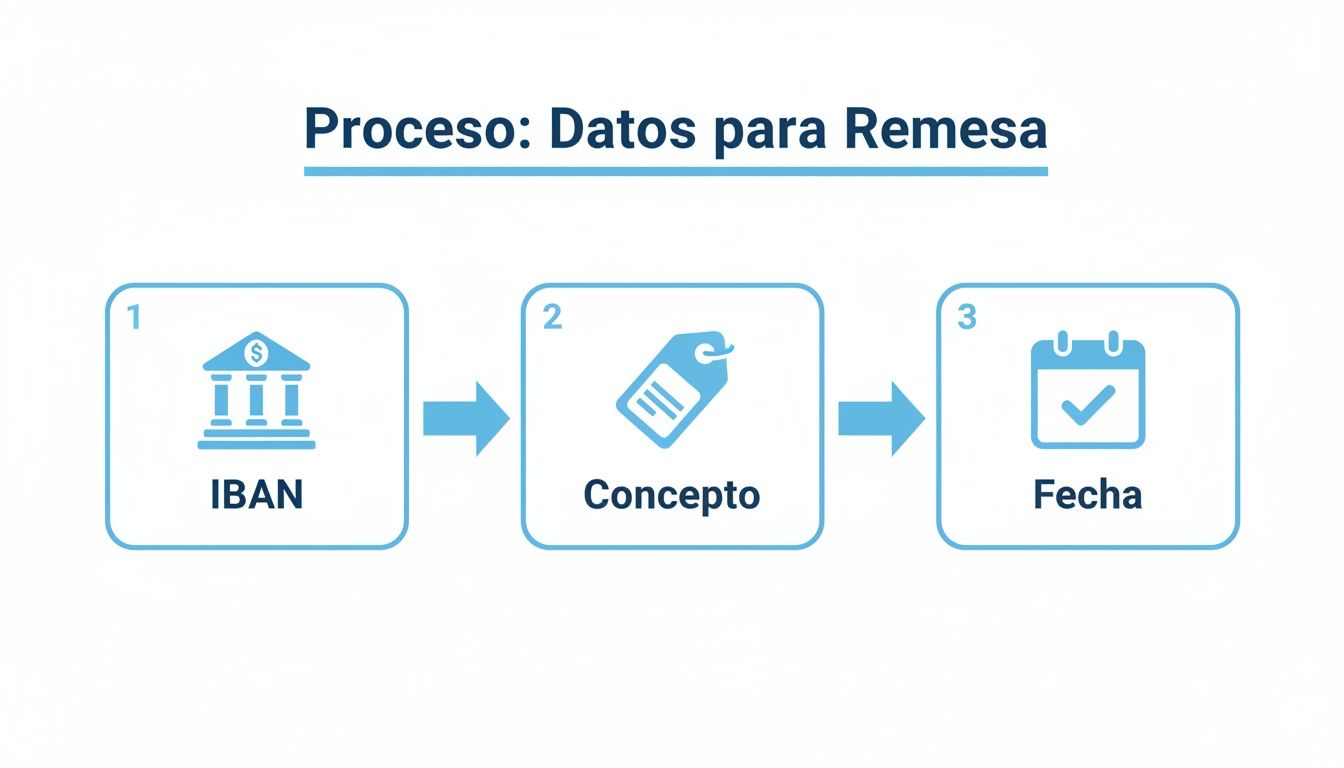
As you can see, the IBAN, concept, and date are the foundations of each receipt. If one of them fails, the entire operation wobbles.
The definitive solution: validate before sending
The smartest strategy to avoid stumbling into these problems is to pass a quality control before the file reaches the bank. It’s like having a small digital auditor that reviews each piece of data in your remittance and alerts you if something doesn’t add up.
Prior validation transforms a reactive process (correcting errors when it’s too late) into a proactive one (preventing errors from occurring). It’s the difference between losing money and securing it.
Specialized tools like ConversorSEPA do this dirty work for you, automatically. When you upload your Excel or CSV file, the platform doesn’t just convert it; it also scans it for all these typical errors.
The process is designed to be very straightforward (upload, associate columns, and download), but the real added value is in that review that happens in the background. This automatic validation gives you the peace of mind of knowing that the SEPA XML file you’re going to generate will be 100% compatible with any bank.
In the end, it’s about saving you time, money, and, above all, the frustration of seeing your collections get stuck along the way.
How to convert and validate your remittance to SEPA XML in minutes
Transforming a simple spreadsheet into a valid SEPA XML file ready for the bank sounds like a technical task, one of those that consumes hours. But the reality is that, with the right tools, it becomes a matter of just a few minutes. The objective is clear: forget about friction and manual errors that steal so much of our time.
The best part is that the entire process is designed to be intuitive and straightforward, even if you have no idea about technicalities. There’s nothing to install or fight with complicated configurations. Everything works online, securely and to the point.
A simple process in three steps
Taking your data to a standardized banking format is, in reality, a logical and very fast sequence. The key is that the tool adapts to your file, and not the other way around, which is how it should always be.
-
Upload your file securely: The first step is as simple as dragging and dropping your Excel or CSV file with collection data. Logically, any serious platform must guarantee that this upload is done through an encrypted connection to protect your information.
-
Assign your columns: This is where the magic happens. The tool shows you the fields the SEPA format needs (IBAN, Amount, Concept…) and you simply tell it which column in your file corresponds to each one. For example, if your amount column is called “Total to collect”, you just have to indicate it to the system. It’s child’s play.
-
Download the validated file: Once you’ve done the “mapping”, with a single click you generate the SEPA XML file. And watch out, this file isn’t a simple data translation. It has already been validated to ensure it complies with all ISO 20022 regulations. This gives you the peace of mind that your bank will accept it without objections.
The real advantage isn’t just the conversion, but the validation that happens behind the scenes, without you noticing. It’s like an automatic quality control that detects an incorrect IBAN or invalid format before it becomes a headache.
Security and automation for your peace of mind
When you handle collection data, security is non-negotiable. The most reliable solutions operate with bank-level encryption and very strict data policies. For example, at ConversorSEPA, your files and data are permanently deleted from their servers just 10 minutes after conversion. Now that’s taking privacy seriously.
For companies that are already looking to take things to the next level, the answer is automation. A JSON API allows you to connect this service directly with your ERP or management program. What do you get with this? That you never have to upload files manually again. A completely automatic collection flow is created, with a guaranteed availability of 99.9%.
This approach makes even more sense in the current economic landscape. It’s no coincidence that the weight of remittances in the Spanish economy keeps growing, reaching a historic high of 0.73% of GDP in 2022. This data reflects greater formalization of payments, which benefits secure platforms that simplify international collection management for SMEs. If you’re interested in the topic, you can delve deeper into Bank of Spain analyses.
Frequently asked questions about remittance management
Even with everything clear on paper, it’s normal for doubts to arise in day-to-day management of a remittance of effects. Resolving these questions beforehand will save you more than one scare and avoid those small stumbles that end up delaying collections. Let’s look at the most common ones.
Can I create a SEPA XML file directly from Excel?
Technically, yes, but it’s like trying to build a car piece by piece without being a mechanic. It’s an incredibly complex process and a sure source of errors. You would need absolute mastery of the ISO 20022 XML standard, and the slightest syntax error, a misplaced comma, or a field out of place will make the bank return the entire remittance.
That’s what specialized tools are for. They automate all that technical complexity and guarantee you a 100% valid file in seconds. You save hours of work and, more importantly, the costs and headaches that returns cause.
What is the SEPA mandate and why is it so important?
Think of it this way: the SEPA mandate is the contract your customer signs to give you permission, and only you, to collect receipts from their account. It’s the legal foundation of any bank direct debit.
Each receipt you include in your remittance must be linked to that mandate. If you don’t have a valid and well-referenced mandate, your customer has the right to return the collection up to 13 months after you’ve charged them. This not only generates fees but can completely throw off your treasury.
A SEPA mandate isn’t a simple formality. It’s the document that legitimizes your collections. Taking care of its management is as crucial as issuing the invoice itself.
My ERP only generates files in AEB format. What do I do?
It’s a more common situation than it seems. The old AEB formats, like the famous Notebook 34, are obsolete. Banks no longer accept them to process a remittance of effects. If your management system still generates these files, you only have one way out: convert them to the SEPA XML standard before sending them to the bank.
The good news is that you don’t need an expensive and traumatic software update. The simplest solution is to use a converter that acts as a “translator”. Simply upload your old file and the tool instantly returns the equivalent XML file, ready to send. You modernize your payments without touching your system.
Is it safe to upload banking data to an online tool?
Security is, without doubt, priority number one. A trusted platform must operate with the same guarantees as your own bank. For example, all communication must be encrypted with high-security protocols, the same ones used by financial institutions.
But the definitive security measure is in what they do with your data afterward. The best services permanently delete your files and all information just a few minutes after performing the conversion. This ensures that your data only exists for the strictly necessary time for the process, guaranteeing total confidentiality.
Managing your remittances of effects doesn’t have to be a headache. At ConversorSEPA, we’ve developed a cloud solution that transforms your Excel or CSV files into a valid SEPA XML in minutes, with bank-level security and without you needing to be an expert. Discover how we can make your collections easier at https://www.conversorsepa.es.