SEPA file validator: the definitive guide to avoiding bank errors
2026-02-07
SEPA file validator: the definitive guide to avoiding bank errors
A SEPA file validator is, in essence, your first quality filter before talking to the bank. It takes your batch files —the ones you usually have in Excel or CSV— and checks them from top to bottom to convert them into the XML format that banks require. Its mission is simple but crucial: catch and correct those small errors that trigger automatic rejections, ensuring that every IBAN, every amount and every mandate datum is perfect first time.
Why validating your SEPA files is so important
Managing SEPA collections and payments is the order of the day in any administration department, but let us be honest, it is also an endless source of headaches. A mistake that seems insignificant, like a comma instead of a point in a figure or a wrong digit in an IBAN, is enough for the bank to return an entire batch. And the problem is not just that collections are delayed, but the snowball effect that follows.
The real cost of an error is not in the mistake itself, but in its consequences:
- Return fees: Banks do not forgive. Each rejected transaction comes with an associated charge that, in large batches, becomes a considerable expense.
- Time lost: Searching for the source of the problem in a file with hundreds of lines, correcting it and resending is tedious work that eats up valuable hours.
- Blow to cash flow: Delays in collections directly impact your cash flow, something no company can take lightly.
- Client-facing image: A returned collection causes hassle and distrust. It is a small detail that can damage the relationship with your clients.
The reality of an SME’s day-to-day
Think of a small company that issues 200 collections a month. One day, due to an error in the format of a mandate date, the bank rejects the entire batch. Suddenly, the administration team has to drop everything else to manually review each line, call the bank’s support to get them to explain what happened and regenerate the file from scratch. This process can steal half a morning’s work and generate enormous stress.
This is where a SEPA file validator changes the rules of the game. Instead of a manual, reactive process, the tool reviews the file proactively, detects the problem in seconds and lets you fix it before it leaves your office.
A validated SEPA file is not a mere technical requirement. It is an insurance policy against unexpected fees, cash flow tensions and hours of administrative work that vanish. You ensure that communication with your bank is smooth and surprise-free.
The importance of this step is even greater when we see the volume involved. In Spain, SEPA transfers already account for more than 63% of all payment transactions, far exceeding other solutions like Bizum in the business environment. With such massive adoption, any validation failure has a domino effect that affects thousands of companies. If you want to go deeper into these figures, you can take a look at the latest National Payments Committee report.
Before we dive into the validation process, it is useful to visualise the most common problems and how a specialised tool addresses them.
Common problems without a SEPA validator and their solutions
| Manual problem (Excel/CSV) | Impact on the business | Automatic solution with a validator |
|---|---|---|
| Incorrect IBAN (check digits, length) | Immediate rejection of the transaction and possible bank fee. | Checks the mathematical and structural validity of each IBAN. |
| Wrong amount format (using comma instead of point) | The bank cannot process the payment, resulting in rejection of the entire batch. | Standardises all numeric fields to the correct decimal format. |
| Empty mandatory field (Name, Mandate ID) | The file is invalid from the start and the bank rejects it without processing. | Alerts about any required field that is missing before generating the XML. |
| Invalid characters (accents, “ñ”, symbols) | Causes an XML file read error, leading to rejection of the entire batch. | “Cleans” and automatically converts characters to the SEPA standard (ISO-20022). |
| Incorrect date format (DD/MM/YYYY instead of YYYY-MM-DD) | The bank’s system does not interpret the date and returns the file. | Formats all dates to the required standard (YYYY-MM-DD). |
As you can see, what are often small human slip-ups become major operational problems. A validator not only corrects but also prevents, acting as an indispensable safety net.
How to validate your SEPA files the easy way
Validating a SEPA file does not have to be a technical headache. Forget about fighting with the complex rules of the XML format. The process is designed to be intuitive, especially for administration teams that live and breathe tools like Excel. The aim is very clear: take your spreadsheet and turn it into a file that the bank will accept first time, without rejections or back and forth.
First things first: prepare your data file
The most important step, and where most problems are avoided, happens before you touch any validator. I mean preparing your source file well. Whether it is Excel or CSV, make sure it has a logical, clean structure.
Each fundamental piece of data must have its own column: the IBAN, the account holder’s name, the operation amount and a clear reference that identifies it.
A golden tip that will save you a lot of headaches: check the formats before you start. Amounts must use a point as the decimal separator, not a comma. Also, format the IBAN cells as text; if you do not, Excel will “eat” the leading zeros and the IBAN will be wrong.
Spending a few minutes on this prior cleanup is the best time investment you can make.
Upload and map your data in seconds
Once your file is in order, validation becomes a very visual process. With modern tools like ConversorSEPA, you just drag and drop the file directly onto the web. No installation or complicated configuration required.
This classic diagram perfectly illustrates why this step is so important. It shows the age-old manual flow, where a small error in the file leads straight to bank rejection.
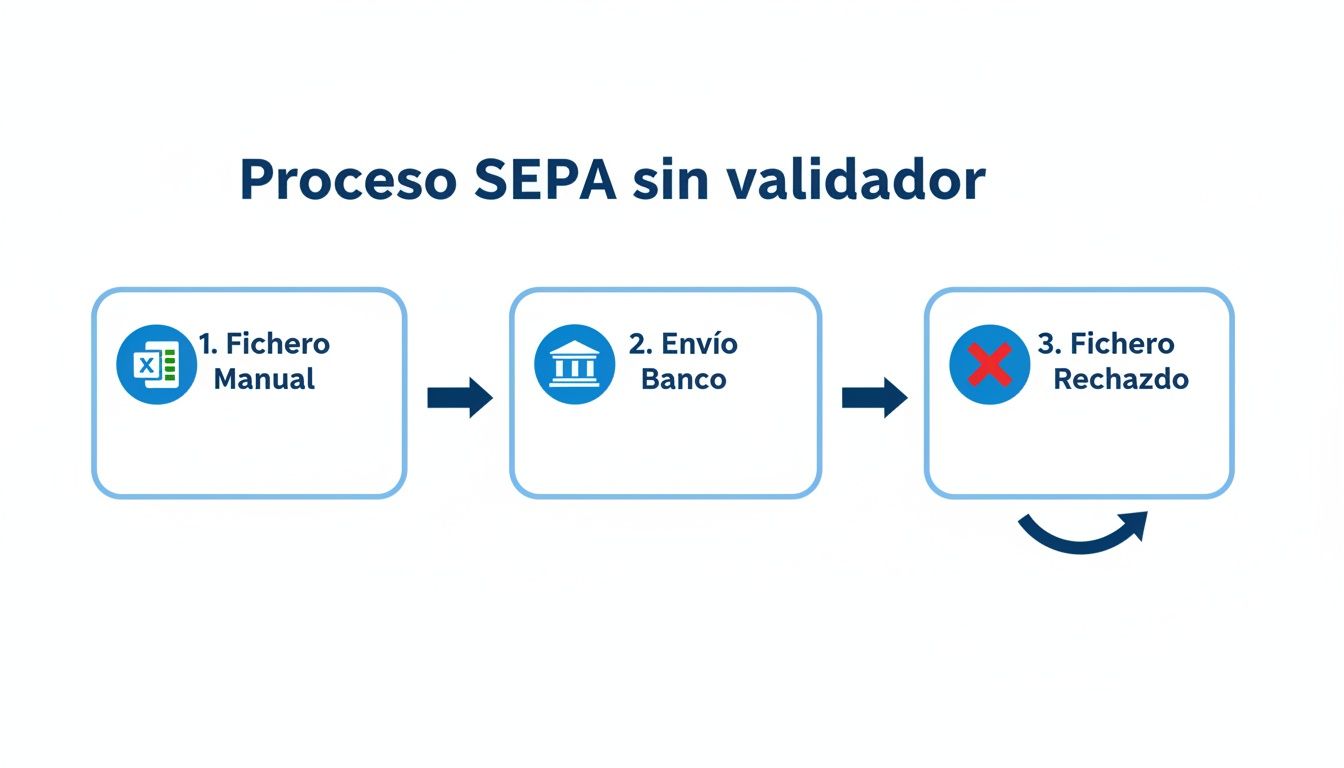
As you can see in the image, not having an intermediate validation step creates a frustrating trial-and-error cycle that in the end means lost time and sometimes extra costs.
After uploading the file, the platform will ask you to “map” the columns. It sounds technical, but it is nothing more than telling the system which column in your Excel corresponds to each SEPA field. For example, you indicate: “My ‘Bank Account’ column is the IBAN” and “the ‘Company Name’ column is the Account holder name”.
This mapping is essential. It is like giving the validator a map so it knows where to find each piece of information and can analyse the data correctly.
Interpret and correct errors on the fly
And this is where it gets interesting. Once mapped, the validator scans each line of your file and runs dozens of checks instantly. It does not stop at the surface, like checking if an IBAN has 24 characters; it goes much further.
Some of the key validations it runs are:
- IBAN structure check: It does not just check the length; it validates the country code and check digits to confirm the structure is correct according to regulations. If you ever need to check a specific account, you can use specific tools. In fact, here they explain in detail how an IBAN validator works on its own.
- Amount syntax: It ensures that all numeric values use the correct decimal format and do not include strange symbols or letters.
- Mandate logic: For direct debits, it checks that each mandate reference is unique and that the signing dates are logical (for example, that they are not future dates).
- Mandatory fields: It warns you if any essential data that the bank requires is missing, such as the account holder’s name or the payment reference.
The great advantage of an online validator is that it does not just tell you “there is an error”. It points out exactly which line it is, which field is wrong and why it is a problem. You go from a generic bank rejection to a precise diagnosis you can act on.
If the tool finds a problem, like a wrongly written IBAN, it will mark it visually in red. The best part is that in most cases you can correct the data directly on the platform. You do not have to go back to your Excel, find the error, correct it and upload the file again. This “on the fly” editing is a huge time saver.
When all errors are fixed and the platform gives you the green light, there is only one click left: generate the file. The result is an impeccable XML, validated and ready to upload to your online banking with the peace of mind that it will be processed without problems.
Automate SEPA validation with API integration
For development teams and more technical profiles, efficiency is not just a goal; it is a necessity. While validating files by hand through a web interface gets administration teams out of a jam, the real optimisation comes when we put this process directly into our own applications. And this is where an API changes everything.
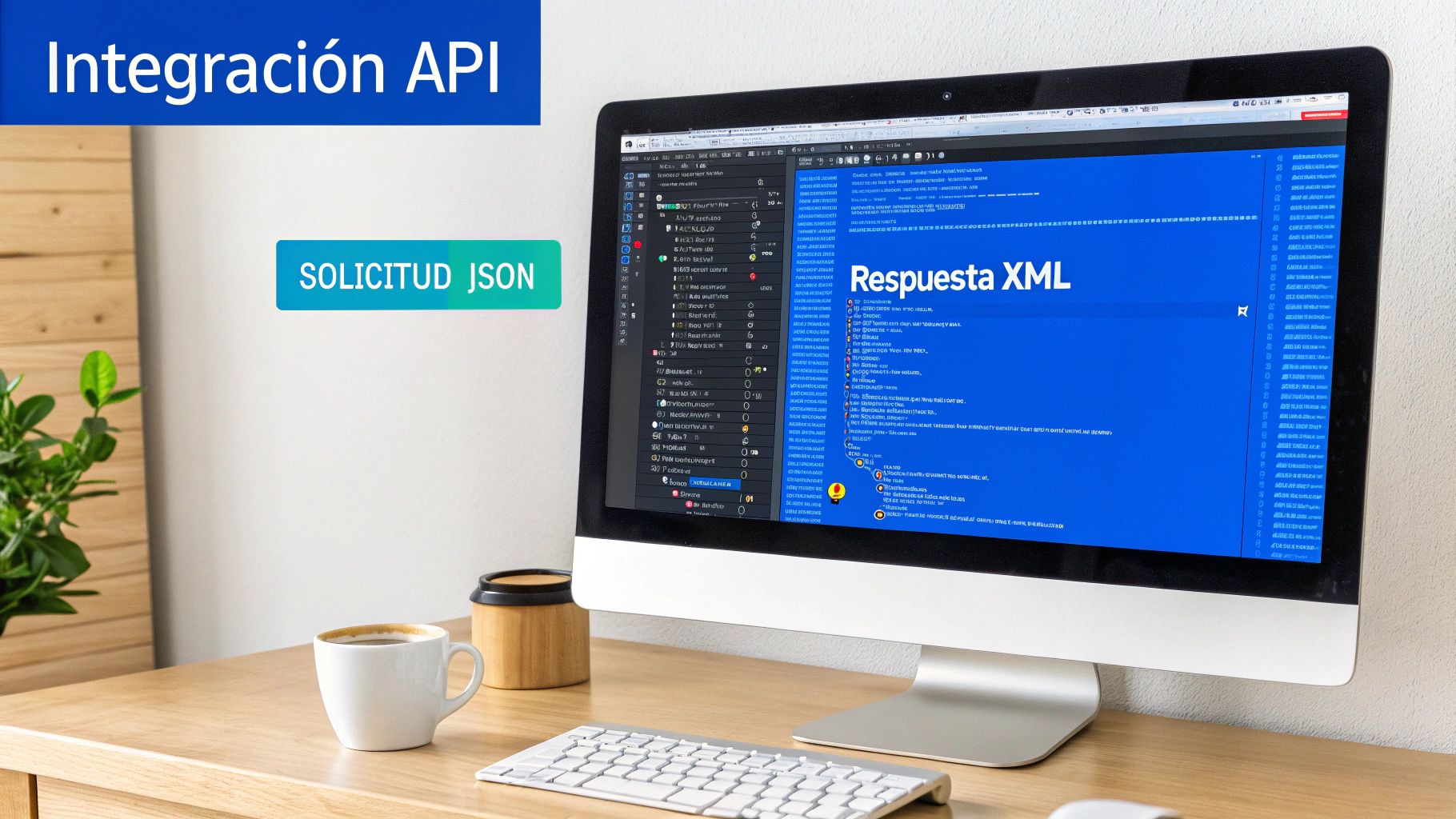
An API (Application Programming Interface) is basically a bridge that allows your billing software, your ERP or any internal system to “talk” directly to a SEPA file validator. The great advantage is that you never again have to download a CSV or Excel to then upload it to another website. The process becomes invisible, instant and, most importantly, automatic.
Think of the possibility of generating a batch from your own system and, with a single call, receiving back the validated XML file ready to send to the bank. There is no human intervention, which means zero chance of error in that last, crucial step.
How does the integration work behind the scenes?
Most modern APIs for validating SEPA files, like ConversorSEPA’s, are based on a RESTful architecture and use JSON, a lightweight, easy-to-handle format for exchanging data. The workflow is surprisingly simple and very robust.
The process usually follows these steps:
- You send the data: Your system makes a POST request to a specific API endpoint. In the body of that request travel the batch data in JSON format.
- You identify yourself: Each request must be signed, usually with a unique API Key that is included in the headers to ensure only you can access it.
- The magic happens on the server: The API server receives the JSON, analyses it and applies all SEPA validations: from IBAN structure to mandate consistency.
- You receive the response: If everything went well, the server returns the XML file, whether a
pain.008.001.02(for direct debits) or apain.001.001.03(for transfers), usually base64-encoded and ready to save.
What if something fails? The API does not return an XML. Instead, it gives you a very well-structured JSON response, with a list detailing each problem, indicating the line and the exact field that caused the error.
What really makes the difference in a good API integration is its ability to return clear, actionable errors. It is no use knowing that something failed; you need to know exactly what, where and why, so you can fix it in code or notify the right person.
A practical API call example
To give you a clearer idea, we will look at a simple example using cURL, a command-line tool you are sure to have heard of. This is what a call to validate a collection file would look like:
curl -X POST “https://api.conversorsepa.es/v1/validate” \ -H “Authorization: Bearer YOUR_SECRET_API_KEY” \ -H “Content-Type: application/json” \ -d ‘{ “transactions”: [ { “name”: “Example Client Ltd.”, “iban”: “ES8021000000000000000000”, “amount”: “99.95”, “mandate_id”: “MANDATE001”, “mandate_date”: “2023-01-15”, “concept”: “Invoice EN2024-052” } ] }’
This command sends a single payment for validation. If the response is successful, it will contain the XML ready to use. If you want to explore everything that can be done, I recommend checking the ConversorSEPA API documentation to discover all the available endpoints.
This automation is not limited to validation alone. The most complete APIs also allow you to generate SEPA mandates in PDF on the fly, offering a solution that covers the entire payment lifecycle. Without doubt, integrating an API is the definitive step to scaling collection and payment management in any company with a volume of operations that is starting to be significant.
The most frequent errors in SEPA files (and how to avoid them)
Let us get straight into the mistakes that cause almost 90% of bank rejections. And no, this is not theory. They are the problems I see every day in batch management. Understanding them is the first step to making a SEPA file validator your best ally and saving yourself hours of frustration and calls to the bank.
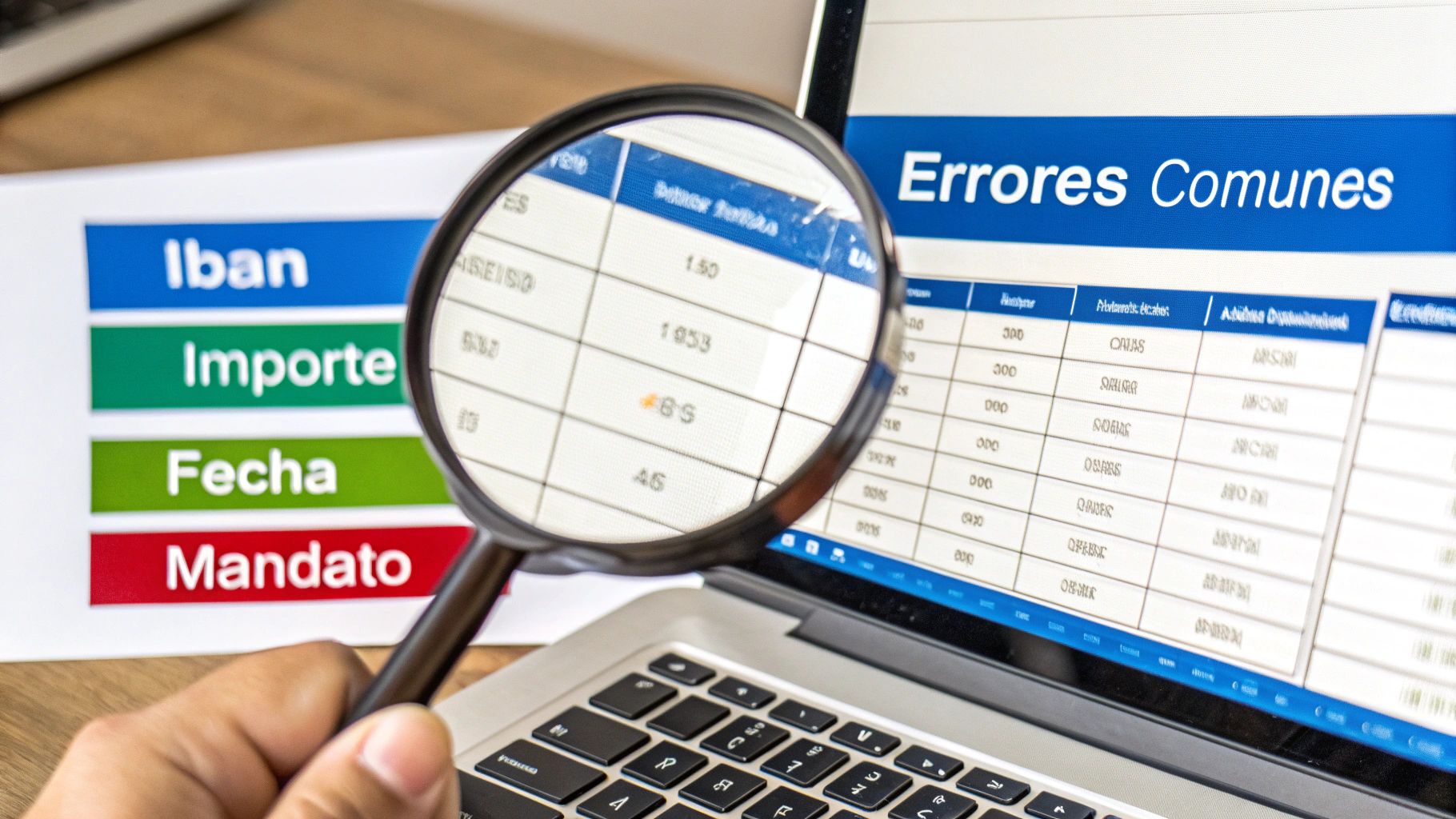
The most common error, and perhaps the most frustrating, has to do with the IBAN. A single wrong digit, a typing error, and the whole operation goes down the drain. The bank is not going to try to guess what the correct one was; it will simply reject the transaction. A good validator catches these mistakes instantly because it checks the mathematical integrity of each IBAN before you get to generate the file.
Another classic is the format of amounts. The SEPA rule here is strict: the decimal separator must be a point (.). No commas (,). This small detail, which often slips past us in spreadsheets set up for Spain, is enough for them to return an entire batch. A decent validator standardises these fields automatically, cutting the problem off at the root.
Subtle but critical errors in formats and characters
Beyond IBANs and amounts, there are two other constant sources of problems: date formats and special characters. The ISO 20022 regulation requires that dates follow the format YYYY-MM-DD. Anything else, like the typical DD/MM/YYYY, will make the bank’s system tell you there is an error.
And then there are the special characters. The SEPA XML standard does not get on very well with “ñ”, “ç” or accents. These characters must be “transliterated”, i.e. converted to “n”, “c” or the corresponding unaccented vowel. If you do not, the bank may interpret that the XML file is corrupt and will reject it without more ado.
The great advantage of a validator is not that it tells you “there is an error”. It explains where and why. Instead of the bank’s generic “invalid file” message, you get a clear diagnosis: “Line 42, IBAN is not valid” or “Line 112, incorrect date format”. It saves you precious time.
SEPA direct debit-specific problems
When we talk about direct debits, things get a bit more complicated with mandates. Here there are two errors that appear again and again:
- Duplicate mandate references: Each mandate must have a unique identifier. If you use the same reference for two different mandates, the file is invalid.
- Illogical signing dates: A signing date that is after the collection date of the collection makes no sense. Banking systems detect it and, logically, reject it.
An advanced validator goes beyond syntax and also checks the internal logic of the data. It ensures that these inconsistencies are detected before anything is sent. If you want to know which fields are essential, I recommend taking a look at our guide on what data a SEPA collections CSV file must contain.
In short, using a validator turns what used to be a trial-and-error process into a fast, secure workflow. Stop wasting time and make sure your files are always processed first time.
What is coming in SEPA regulation: get ready for the changes
The world of SEPA payments does not stand still. It is always on the move, seeking to improve the security and efficiency of each transaction. Staying up to date is not an option; it is an obligation if you want to avoid your payments, especially the most important ones like salaries, being rejected.
The most important change just around the corner has to do with something as seemingly simple as the beneficiary’s address in payment files. Until now, the norm was to put the entire address in a single text field, what is known as an “unstructured” address. Well, the days of this practice are numbered.
Goodbye to free-text addresses
The new regulation requires the use of structured addresses. What does this mean? Very simple: address information can no longer all be mixed in a single line. From now on, you will have to break it down into specific fields.
- Street name and number:
<StrtNm>and<BldgNb> - Postal code:
<PstCd> - City:
<TwnNm> - Country:
<Ctry>
It may seem like an unimportant detail, but it is key for automation and the fight against fraud. When data is standardised, banking systems can validate it with much greater precision. This minimises errors and speeds up the processing of thousands of payments, as with salaries.
We are not talking about a simple technical recommendation. The transition to structured addresses is a mandatory requirement. If you do not comply, your files will be rejected outright. Ignoring this update could mean your company’s salary payments grinding to a halt.
And there is a deadline you must mark in red on your calendar. From 22 November 2026, Spanish banks will automatically reject any salary file (pain.001) that still uses unstructured addresses. That day is the point of no return in the adoption of the ISO 20022 standard in Spain. Any SEPA file validator worth its salt must, by then, check that addresses comply with this new format. If you want to go deeper, you can read more about the impact of structured address on SEPA regulation.
What does this mean for you and how can you get ahead?
The good news is that you do not have to wait until the last moment and suffer with the rush. Tools like ConversorSEPA already exist that are fully prepared for this change.
When you process a file with an updated platform, you are not only validating IBANs and amounts. You are also ensuring that address data is organised correctly according to the new requirements.
In practice, this means you can start generating 100% compatible files from today. So when the regulation comes into force, your payment processes will not suffer any interruption. Salaries and other critical transfers will continue to reach their destination without any problem.
We answer your questions about SEPA file validation
When working with SEPA files, the same questions always arise, whether you come from an administrative or a more technical background. Let us clarify those key points so that the validation process is much easier for you.
Are a converter and a validator the same thing?
This is the million-dollar question, and the answer is a resounding no. A converter simply takes your file, whether Excel or CSV, and turns it into XML. It is a format change, nothing more. It does not guarantee that the data it contains are correct.
A SEPA file validator is another story. It does not just handle the conversion; it reviews each piece of data, line by line, to check that it complies with each and every rule of the regulation. A tool that really solves your life has to do both; otherwise you are only half covered.
But if my bank already offers a validator, why do I need another one?
It is true, your bank has its own validation system, but think of it as a nightclub bouncer. Their only job is to tell you if you get in or not. If your file has an error, they will simply send you back, without giving you many clues about where the problem is.
This is where an external validation tool comes in. It lets you comb through the file, find every small error and correct it before it reaches the bank. You avoid that vicious circle of sending, getting the rejection, trying to guess what went wrong and trying your luck again.
Imagine that the bank’s validator is the final exam. An external tool is like having a private tutor who helps you study. With them, you arrive at the exam knowing you will pass first time.
Does the same tool work for transfers and direct debit collections?
Yes, of course. In fact, it is the minimum you can ask for. A good SEPA validator must be able to handle the different payment schemes without problems. This includes both transfers (the SCT or SEPA Credit Transfer scheme) and direct debits, better known as standing orders or collections (the SDD or SEPA Direct Debit scheme).
Bear in mind that each has its own rules, mandatory fields and particularities. The tool must know them inside out to perform a correct validation in each case.
Is it safe to upload a file with payment data to an online platform?
Security here is non-negotiable. Any professional platform worth its salt must use end-to-end encryption (the famous HTTPS you see with the padlock in the browser) so that your data travel securely.
It is also essential that the service complies with data protection regulations such as GDPR. A good practice, for example, is that files are not stored forever. Once you have uploaded your data, validated the file and downloaded the final XML, that information should be deleted from their servers within minutes. This guarantees total confidentiality.
At ConversorSEPA, we have created a solution that not only validates and converts your files with maximum security, but also supports you at every step so that your batches come out perfect first time. Leave bank rejections behind and start optimising your time. Try our tool for free and see for yourself.
Frequently Asked Questions
- Why do I need a validator if the bank already checks the file?
- The bank usually returns only a generic rejection without indicating the exact line or field. A SEPA validator points to the specific error before submission, saving time and avoiding resubmitting entire batches for a single fixable mistake.
- Does the validator work for both credit transfers and direct debits?
- Yes. A good validator checks SEPA credit transfer files (pain.001) and direct debit files (pain.008), including the mandatory fields for each scheme. You can review payments and collections with the same tool.
- Is it safe to upload a SEPA file to an online validator?
- Yes, if the service uses HTTPS, encrypts the transfer and deletes files after processing. Review the provider's privacy policy before uploading data containing IBANs and customer names.